QuickBooks Error H202: Causes, Fixes, and Complete Troubleshooting Guide
- brianjonas011
- Jun 2
- 4 min read
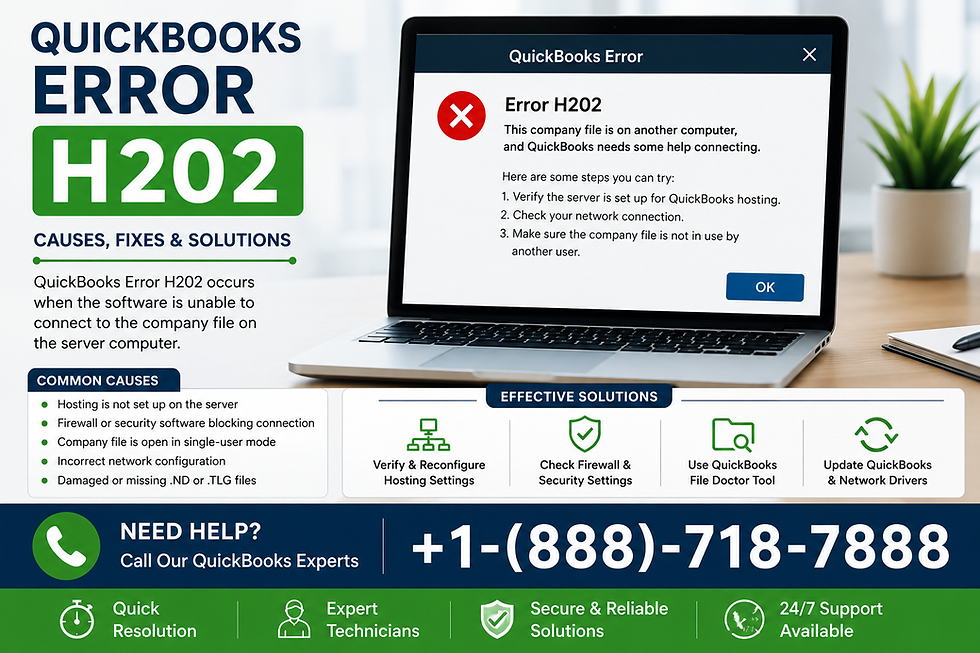
QuickBooks is one of the most widely used accounting solutions for small and medium-sized businesses. However, like any software that relies on multi-user mode and network connectivity, it can sometimes run into technical issues. One of the most common and frustrating errors users face is QuickBooks Error H202.
This error typically appears when a user tries to switch to multi-user mode or access a company file stored on another system, but QuickBooks is unable to connect to the server hosting the file. In this detailed guide, we will break down the causes, symptoms, troubleshooting methods, and preventive measures to help you resolve the issue efficiently.
What is QuickBooks Error H202?
QuickBooks Error H202 occurs when the workstation is unable to communicate with the server computer where the company file is stored. In simple terms, QuickBooks is trying to access a file in multi-user mode, but the connection is blocked or unavailable.
This issue falls under the H-series errors, which are primarily network-related problems in QuickBooks Desktop.
Common Causes of QuickBooks Error H202
Understanding the root cause helps in applying the correct fix. Below are the most common reasons:
1. Incorrect Hosting Configuration
If multiple systems are set to host the company file instead of only the server, conflicts occur.
2. Firewall Blocking Communication
Windows Firewall or third-party security software may block QuickBooks communication ports.
3. Damaged or Missing Network Data File (.ND)
The .ND file helps QuickBooks access company files over a network. If corrupted, it leads to connection issues.
4. DNS or IP Address Issues
Incorrect DNS settings or inability to resolve the server name prevents access.
5. QuickBooks Database Server Manager Not Running
This service must run on the host system to allow multi-user access.
Symptoms of QuickBooks Error H202
You may notice the following signs:
QuickBooks becomes slow or unresponsive in multi-user mode
Error message: “This company file is on another computer, and QuickBooks needs some help connecting”
Frequent freezing when switching modes
Network latency issues
Inability to open company files hosted on another system
How to Fix QuickBooks Error H202 (Step-by-Step Solutions)
Below are proven troubleshooting methods to resolve this issue effectively.
Solution 1: Use QuickBooks File Doctor Tool
QuickBooks provides a built-in diagnostic tool to fix network-related issues.
Steps:
Download and install QuickBooks Tool Hub
Open the tool and select Network Issues
Select your company file and allow the tool to scan and repair issues
This method resolves most H202-related errors automatically.
If the issue persists, you may need additional help by contacting support at +1-888-718-7888.
Solution 2: Verify Hosting Settings
Incorrect hosting configuration is one of the most common causes.
Steps:
Open QuickBooks on each workstation
Go to File > Utilities
If you see “Stop Hosting Multi-User Access,” click it
Only the server computer should host the file
Repeat this process on all workstations.
If you are unsure, you can get assistance by calling +1-888-718-7888.
Solution 3: Check QuickBooks Services on Server
Ensure required services are running:
Steps:
Press Windows + R, type services.msc
Find QuickBooksDBXX service
Right-click and select Start or Restart
Set Startup Type to Automatic
This ensures smooth multi-user connectivity.
For advanced configuration issues, support is available at +1-888-718-7888.
Solution 4: Configure Windows Firewall Settings
Firewall blocking is a frequent trigger for H202 errors.
Steps:
Open Control Panel
Go to Windows Defender Firewall
Allow QuickBooks through firewall
Add QuickBooks ports manually if needed
Common ports include:
8019
56728–56730
If firewall configuration seems complex, contacting +1-888-718-7888 may help resolve it quickly.
Solution 5: Ping the Server from Workstation
Testing network connectivity helps identify communication issues.
Steps:
Open Command Prompt on workstation
Type: ping [ServerName]
If packets are lost or unreachable, network configuration needs fixing
A stable network connection is crucial for resolving QuickBooks Error H202.
For deeper network troubleshooting, you can reach support at +1-888-718-7888.
Solution 6: Create a New Network Data File (.ND)
Corrupt ND files can block access.
Steps:
Go to company file folder
Locate .ND file
Rename it (e.g., companyfile.nd.old)
Open QuickBooks again to regenerate the file
This often fixes multi-user mode issues instantly.
Preventing QuickBooks Error H202 in the Future
Prevention is always better than repair. Here are some best practices:
Ensure only one system is set as host
Keep QuickBooks updated regularly
Maintain stable LAN/Wi-Fi network
Configure firewall properly after installation
Regularly run QuickBooks Tool Hub for diagnostics
Avoid abrupt shutdowns of server system
If you want professional setup guidance, you can always contact +1-888-718-7888 for assistance.
Why QuickBooks Tool Hub is Important for H202 Errors
The QuickBooks Tool Hub is a centralized utility designed to fix common QuickBooks Desktop issues, including:
Network connectivity errors
Company file issues
Installation problems
Login and performance errors
For QuickBooks Error H202, it is often the first recommended solution because it automates repair processes and reduces manual troubleshooting time.
Frequently Asked Questions
❓ What is QuickBooks Error H202?
It is a network-related error that occurs when QuickBooks cannot connect to the company file stored on a server in multi-user mode.
❓ Can firewall settings cause QuickBooks Error H202?
Yes, firewall or antivirus blocking QuickBooks ports is one of the major causes of this error.
❓ How do I fix QuickBooks Error H202 quickly?
You can use QuickBooks Tool Hub, check hosting settings, or restart QuickBooks services. For help, call +1-888-718-7888.
❓ Is QuickBooks Error H202 a serious issue?
It is not harmful to data but can stop multi-user access, affecting workflow and productivity.
❓ Do I need technical help to fix H202?
Basic steps can be done manually, but complex network issues may require expert assistance at +1-888-718-7888.
Conclusion
QuickBooks Error H202 is a common but fixable issue that mainly affects multi-user mode functionality. It usually arises due to network misconfiguration, firewall restrictions, or hosting conflicts. By following structured troubleshooting steps such as using QuickBooks Tool Hub, verifying hosting settings, restarting services, and checking network connectivity, users can resolve the issue effectively.
For cases where manual fixes do not work, professional assistance can save time and prevent further disruption. You may contact support at +1-888-718-7888 for guided troubleshooting.
By maintaining proper network setup and regular system checks, businesses can ensure smooth and uninterrupted use of QuickBooks in multi-user environments.


Comments